Features
The arc of a night.
Every tool in the order the night happens — plan it, run it, sleep through it, wake up to data. Go as deep as you like; the docs go deeper.
01
Plan the night.
Before a single photon lands: know what’s up, when it transits, and whether it clears your oak tree.
Sky Atlas & planning
Know tonight’s sky before dark.
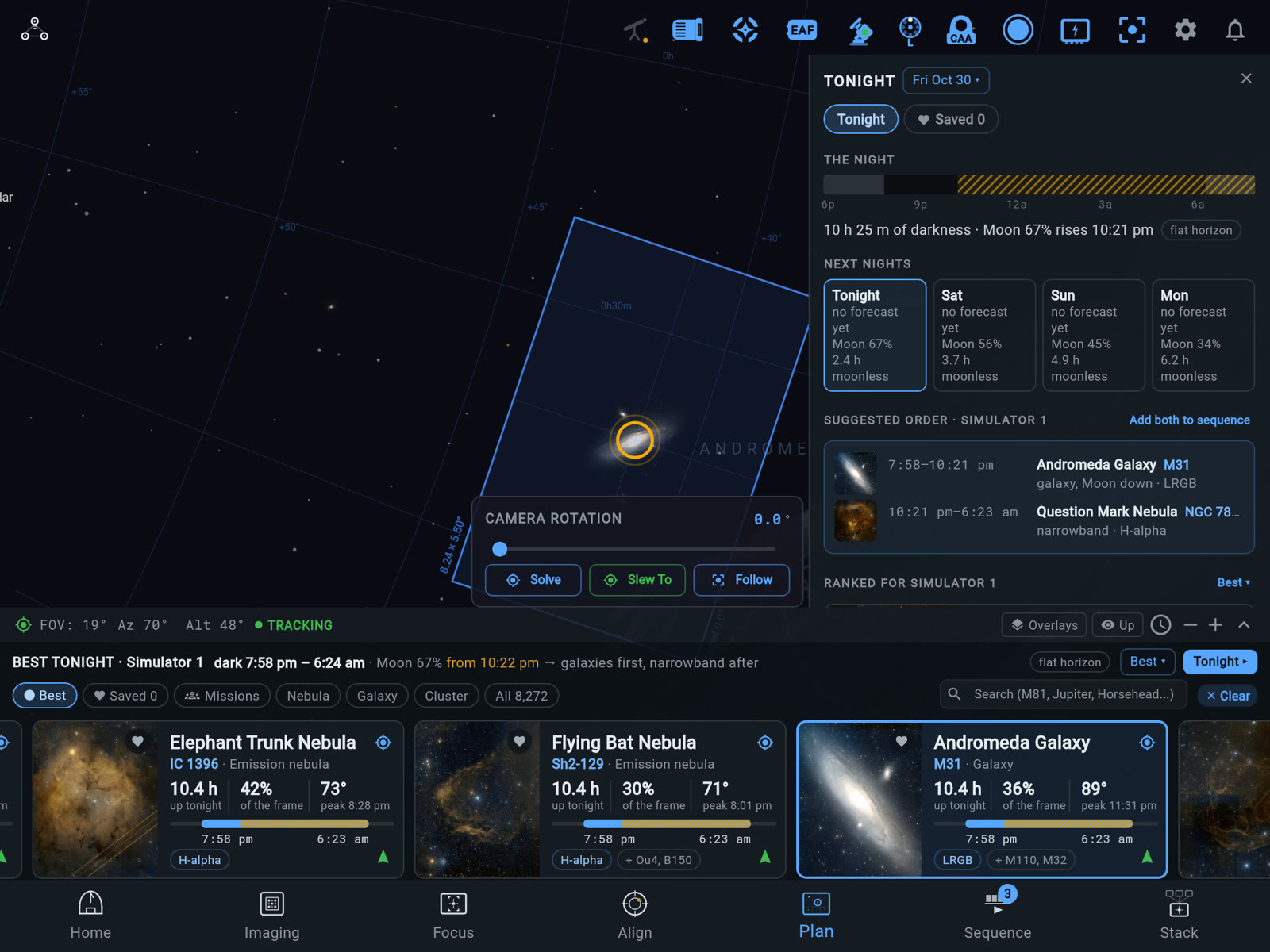
Browse a deep-sky catalog rendered the way it deserves — or let Best tonight rank what’s worth shooting tonight, for your rig, from your yard — then hand your picks straight to tonight’s plan.
- Best tonight ranks targets for the rig you’re using — altitude, the cloud forecast, the Moon, and how each one fits your frame
- A Tonight panel with a suggested order, the next three nights side by side, and each rig’s pick when you run more than one
- Deep-sky catalog with constellation art and rich object data
- Altitude & transit charts computed for your site
- Tonight’s path drawn across the sky — and rise, apex, and set marked only when they really happen
- Framing that matches your exact sensor, optics, and rotation
- Search planets and the Moon — live positions, rise and set, right in the atlas
- Import your Telescopius lists — CSV target lists and mosaic plans drop straight into your plans
Framing
Compose the shot before you shoot it.
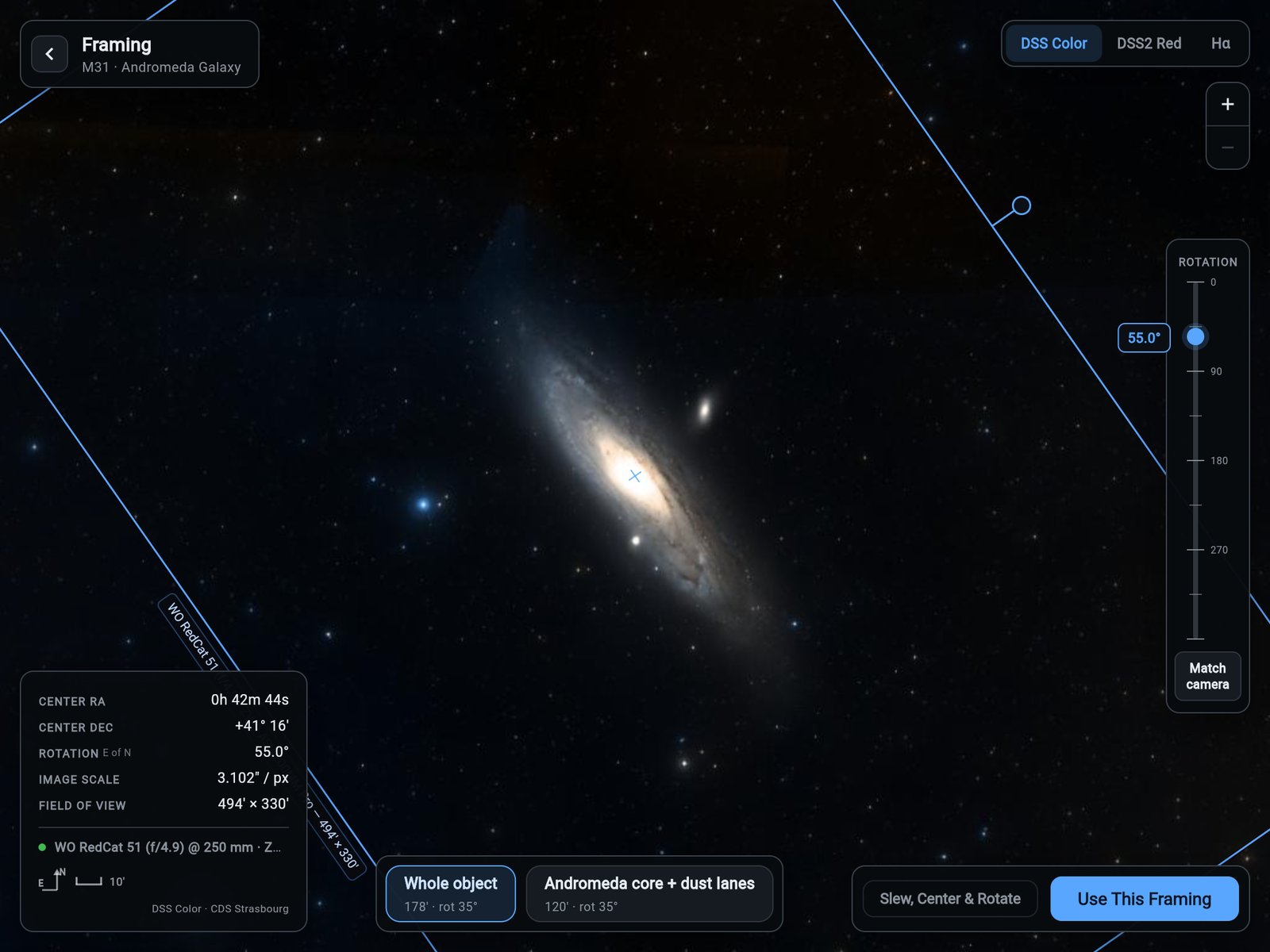
A full-bleed cutout of the real sky with your camera’s field of view drawn to scale on it. Drag it, rotate it, or start from a suggested framing — then make it real without leaving the screen.
- The FOV rectangle is your actual sensor and optics, to scale — what you frame is what you capture
- Drag to recompose, rotate on a fine rail, or tap a suggested framing
- Match camera — plate-solves where the scope points right now and snaps the frame to it
- Add to a sequence with the framing baked in — or slew, center, and rotate in place
- Zoom refetches the sky at matching scale, so detail holds all the way in
360° horizon capture
Plan against the sky you actually have.
The panorama below is a real horizon — captured with a phone from right where the rig stands, stitched into one seamless sphere, measured at every degree. At this site, 55.9% of the sphere is sky; the rest is trees and roofline, rising 13° to 66°. ARIS knows exactly which is which — so when the Plan screen says a target clears the oak at 21:40, it means your 21:40.
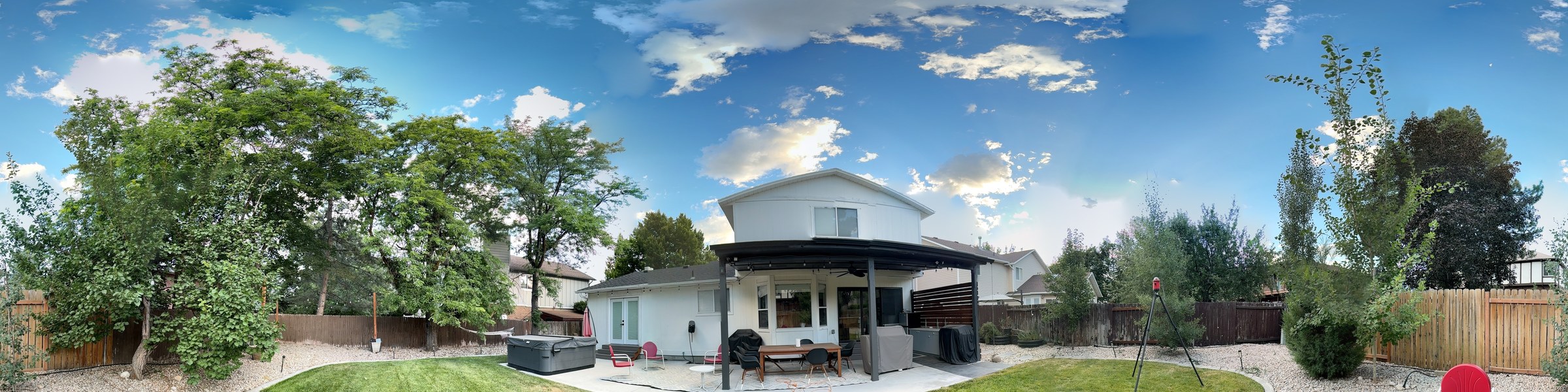
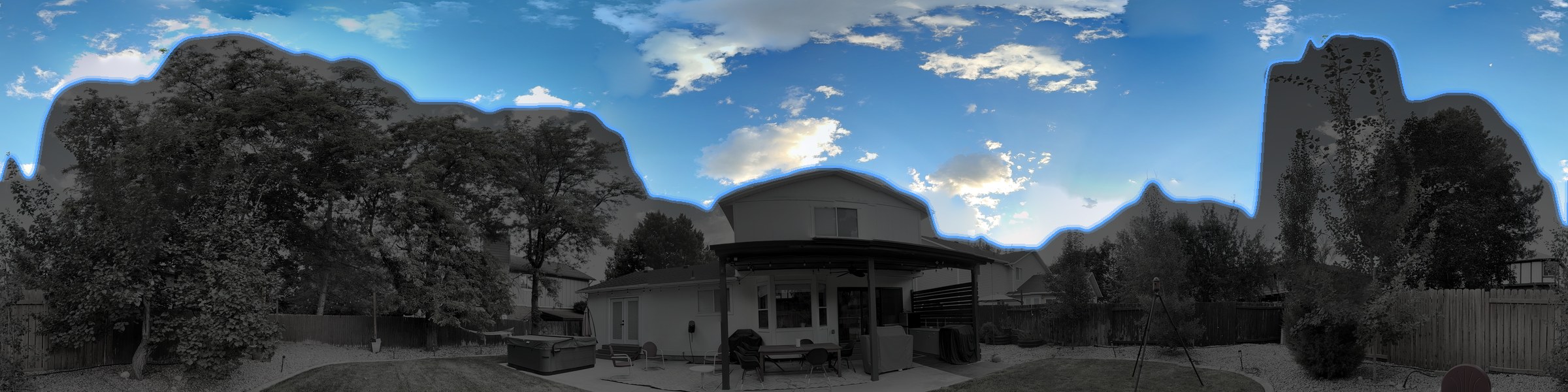
Real capture, real backyard — shot with a phone from the rig’s spot. Drag the line to see what ARIS sees.
- Stand where your rig stands — ARIS guides a full sphere of photos and does the rest
- Obstruction altitude measured at all 360 degrees of azimuth
- Every altitude chart and visibility window honors your true horizon
02
Run the night.
Set the rig up once, then press start and go inside. The sequence runs the night, calibration runs itself, and focus and guiding keep every sub sharp.
Rig setup
One checklist, first connection to first light.
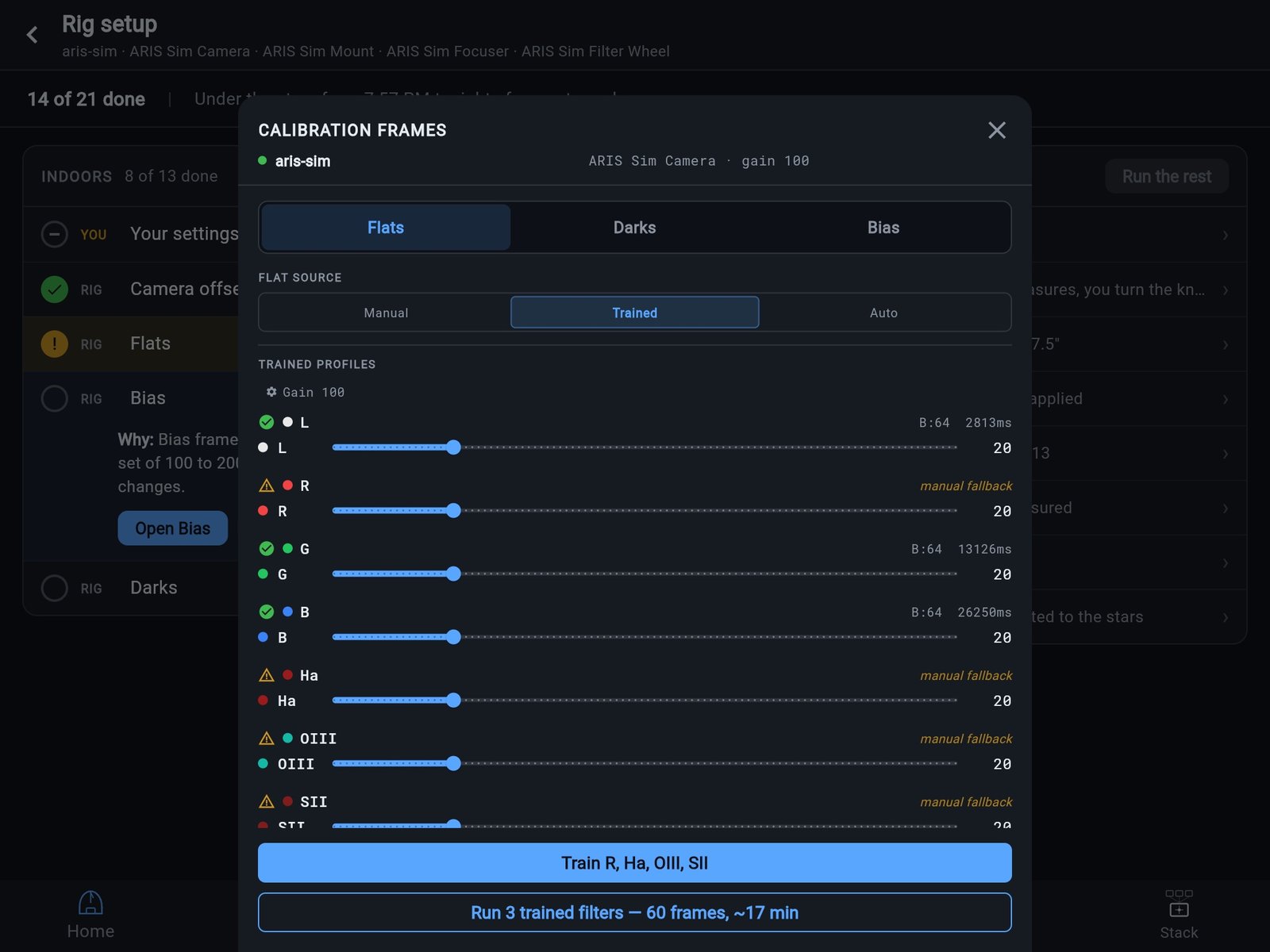
Connect a new rig and ARIS asks to set it up. Rig setup lists everything the rig needs before a night of imaging, in an order that keeps your data good — your settings and calibration frames indoors, then focus, alignment and guiding under the stars. Tap Run the rest and the rig works through a half on its own, stopping only where it needs your hands.
- Up to 21 steps in two halves, Indoors and Under the stars — only the ones your equipment needs
- Every row says who does it, YOU or RIG, and where it stands — “gain 100 → offset 50”, “7 filters to train”
- A step is done when the rig holds the proof: a trained flat profile, frames on disk, a measured backlash
- Every slew asks first, with the RA and Dec it will go to — and the run never parks the mount
- Under the stars waits for dark. Close the app: a paired rig tells your phone when it needs you
- Change the camera’s gain and the offset, flats, bias and darks open again for the new gain
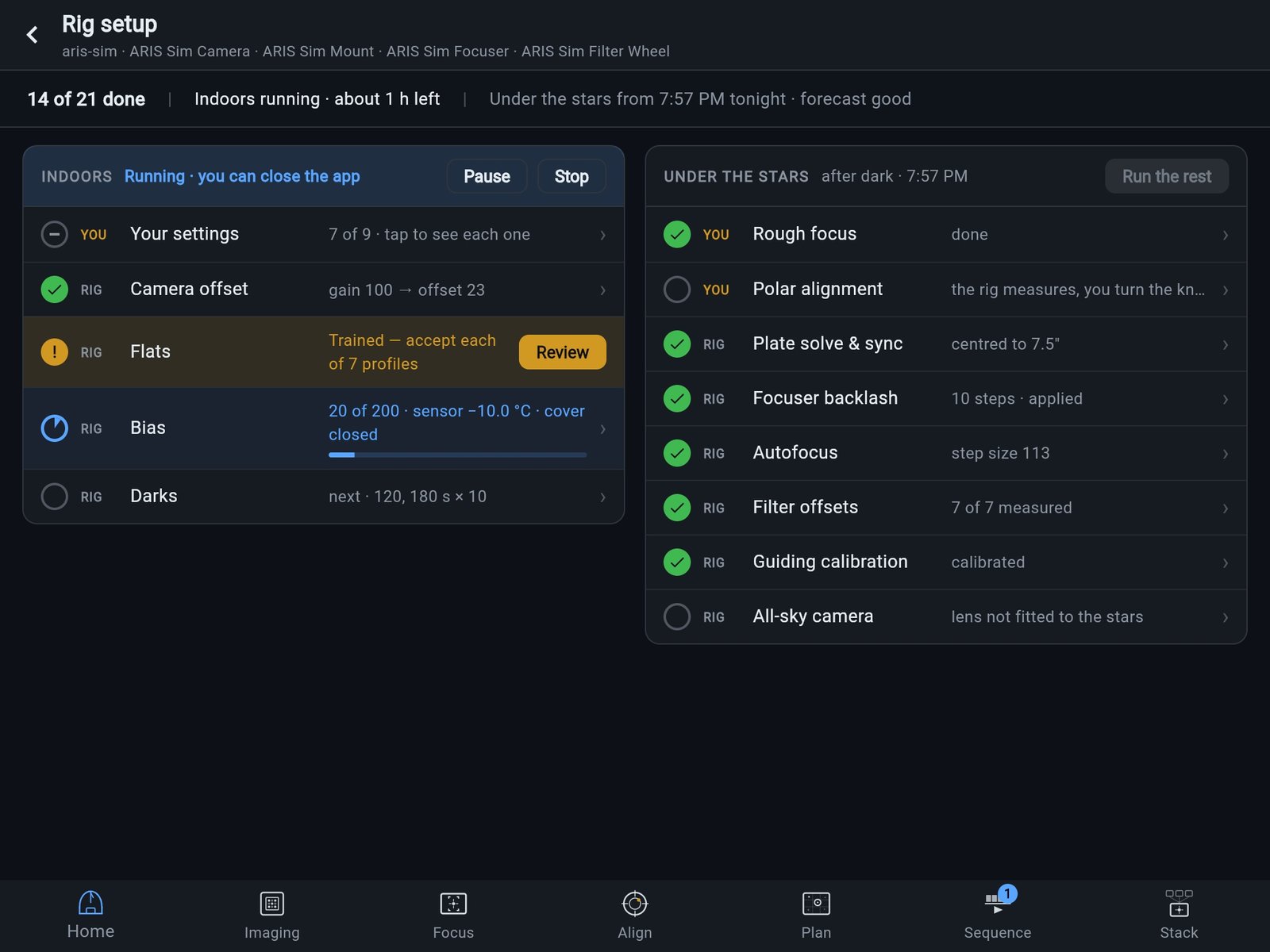
Your settings · Camera offset · Flats · Bias · Darks
Rough focus · Polar alignment · Plate solve & sync · Focuser backlash · Autofocus · Filter offsets · Guiding calibration · All-sky camera
Automated sequencing
Press start. Wake up to data.
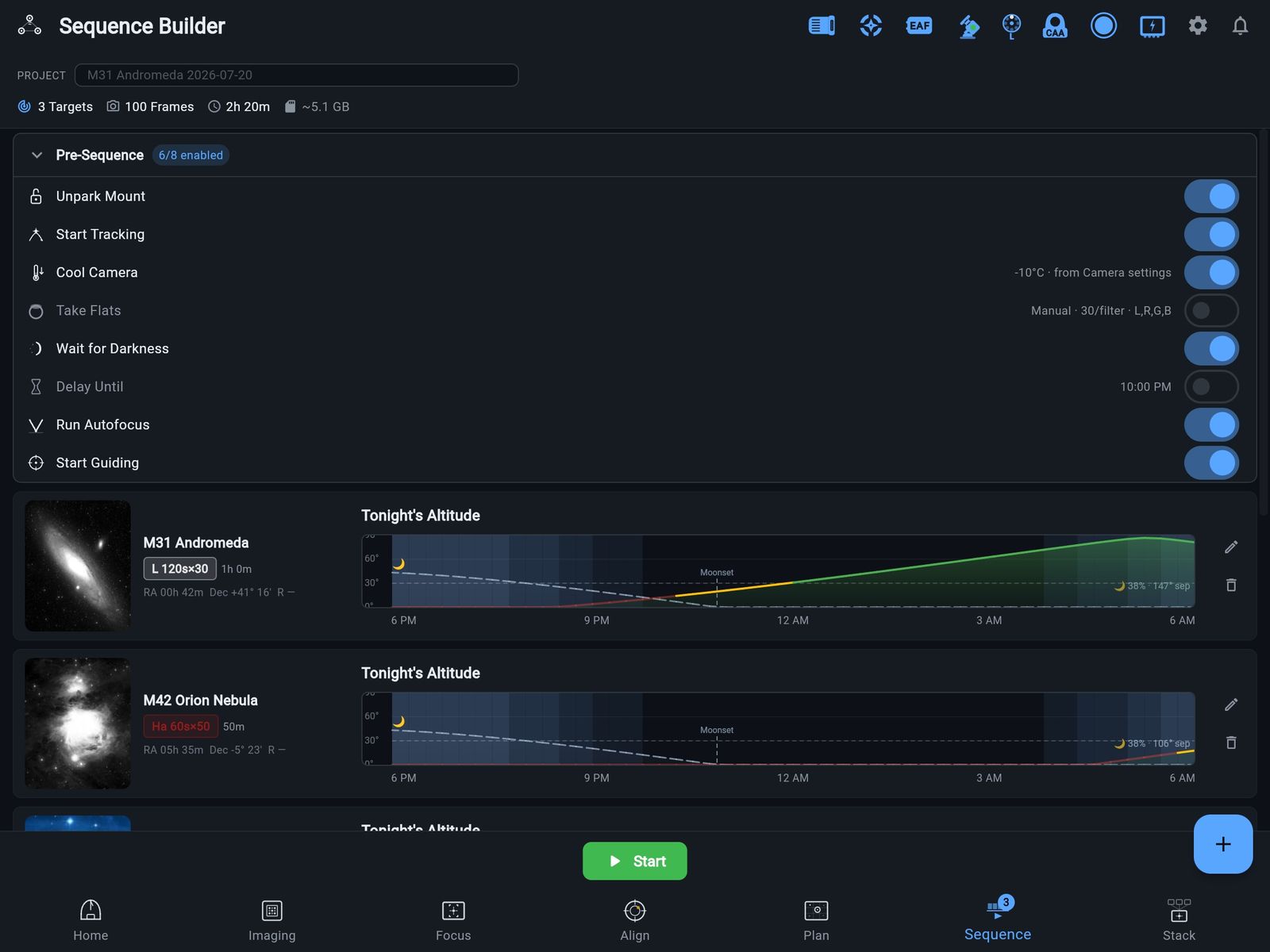
Build multi-target, multi-filter exposure plans and let ARIS run the night: it flips the meridian on schedule, refocuses when the temperature drifts, and shoots your calibration frames before dawn. You sleep; the rig works.
- Multiple targets, filters, and exposure plans per night
- Automatic meridian flips with re-center and guiding resume — designed to hold your framing through the flip
- Autofocus triggers on time, temperature, or filter change
- The whole night runs on the rig itself — close your laptop, the sequence keeps shooting
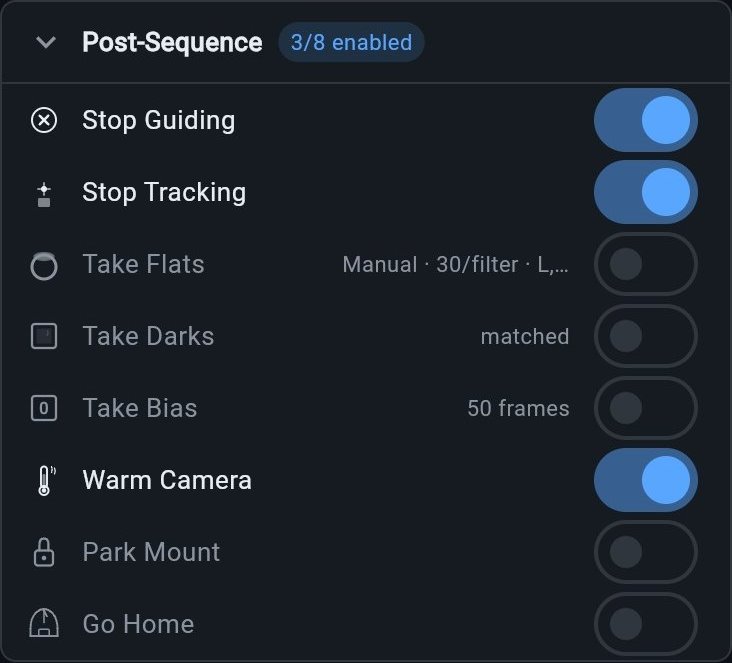
- Darks, flats, and bias runs are sequence steps — calibration happens while you sleep
- An honest finish time — the estimate prices slews, autofocus, filter changes, dithers, and flips from what your rig actually measured
Library
Dial it in once. Run it all season.
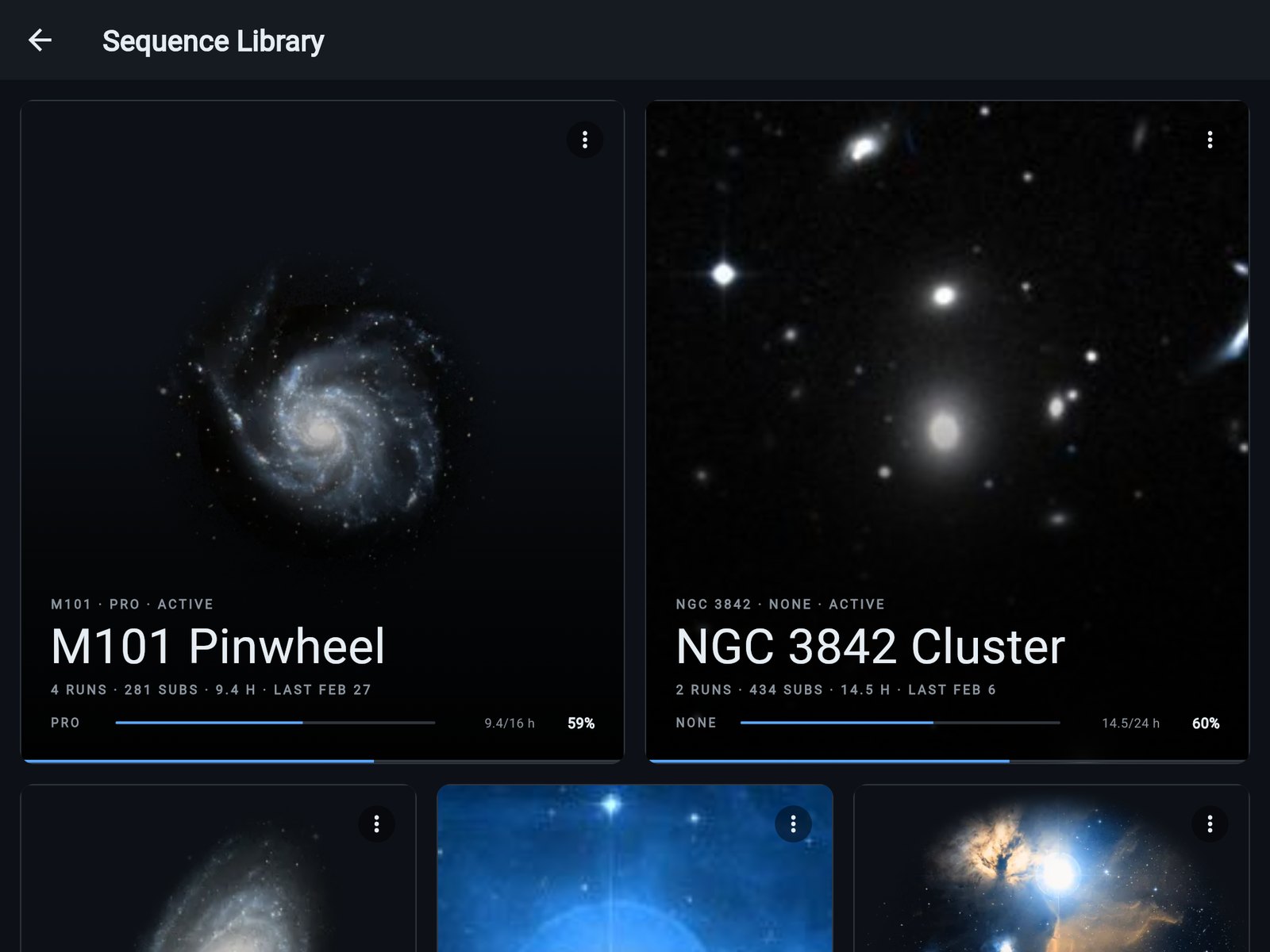
A good sequence stops being disposable: save targets, framing, filters, exposures, and pre/post automation as one named sequence — photo-first, one tap from running again. Give it hour goals per filter, 8 h of Ha and 4 h of OIII, and every run folds in.
- Per-filter hour goals with meters and an arc gauge that fills as the season adds up
- A running ledger for every sequence — times run, last run, total subs, total integration
- One-tap load back into Sequencing; Rename, Duplicate, or Archive when the project wraps
- Reset Progress re-baselines the goals without destroying the history
- Stats tick up live during a run — a LIVE chip marks the sequence that’s shooting
- Account-level across rigs and years — and every rig keeps an offline copy
Calibration
Calibration that runs itself.
Flats, darks and bias run as steps of a sequence, or as a run of their own with no target — on the rig, so they finish with the app closed. At the end of a sequence, flats turn the rotator to every angle your lights were shot at, and each flat lands in the folder of the lights it calibrates.
- Shoot flats, darks or bias any time — in a sequence, or on their own from the Flat Panel or Files screen
- Trained flat profiles: the flat wizard finds each filter’s panel brightness and exposure, and nothing is saved until you accept it
- Flats at each target’s rotator angle — at the end of a sequence the rig turns to each angle, shoots that target’s filters, and turns back
- Flats saved with their lights, in the same project and target folder
- Find best offset measures the lowest camera offset at which no pixel reads zero, and adds a safety margin
- Darks and bias wait for the camera to reach its cooler target, and shoot through a wheel slot named Dark or Blank if you have one
Focus & guiding
Focus that proves itself.
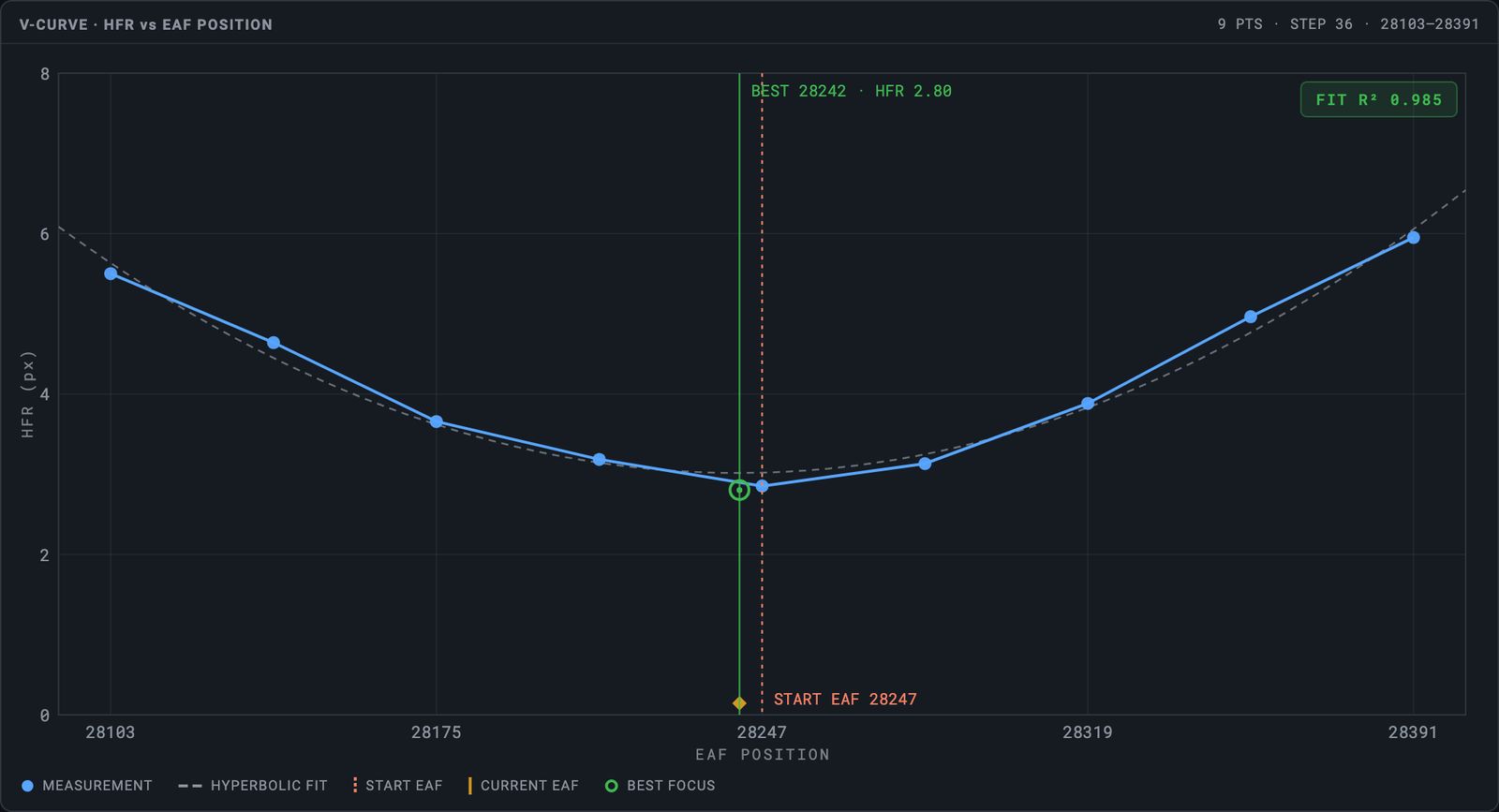
Bracketed autofocus only trusts a minimum it has actually surrounded: four rising points on each side — three where the focuser’s range ends. It lands on a verification frame, not a hope. Start way out of focus and a coarse-seek rescue walks it home; any failure returns the focuser exactly where it started. The new Focus screen shows its work: live V-curve, the actual star it’s measuring with an HFR ring, fit quality, step size. Guiding is built-in PHD2 — it is PHD2 — with live RA/Dec graphs, RMS readouts, and a stability gate that holds the next frame until your stars settle — and ARIS works out PHD2’s own settings for your mount and guide optics.
- Bracketed fit — four rising points on each side, three where the focuser’s range ends, never an extrapolated minimum
- Coarse-seek rescue walks home from badly-out-of-focus starts
- Verification frame confirms the result; any failure returns the focuser to start
- Re-runs on temperature drift, filter change, or after a meridian flip
- PHD2 guiding with a per-frame stability gate
- Aggression sliders that actually reach PHD2 — set a value and the rig reads the real one back
- Dithering ARIS owns: every dither travels exactly the distance you set, in a random direction — and settles in seconds
- Guiding-quality metrics measured continuously on the rig — oscillation, windowed RMS, settle times
- Advanced guiding works out PHD2’s algorithm, minimum move, calibration step, pulse limits and star search for your mount and guide optics — hand any of them to ARIS, and after a calibration it tells you when a better value is waiting
- A guide exposure and gain for each filter, applied whenever the wheel lands on it — for guide sensors that look through the filters
03
While you sleep — and wherever you are.
Unattended is not unwatched — the rig journals the night, reads the sky, and acts before a small problem becomes a lost night. And the night travels with you: onto your stream, onto your wrist.
Rig Guardian
While you sleep, the rig watches.
Unattended imaging gets an actual night watchman. Guardian journals the night as it happens, alerts your phone when something needs you, and if a sequence fails it returns the mount to your chosen safe state instead of leaving it tracking.
- Night journal + morning report — ask “what happened last night?”
- Critical alerts on your phone’s lock screen; warnings batched
- On any unattended failure the mount goes to your safe state — home, park, or tracking-off — automatically
- Sprinklers stand down — pair a supported controller, starting with Rachio, and ARIS holds the watering on the controllers you choose while a rig is set to Outside, then lets it resume on its own when the rig comes back in
- Opt-in night mode pauses subs when guiding or sky degrade and reacquires the target when clouds clear (early access)
Sunday, July 26
2:24
Clouds closed in
Sequence paused at the frame boundary. Mount is safe at home. I’ll resume if the sky clears.
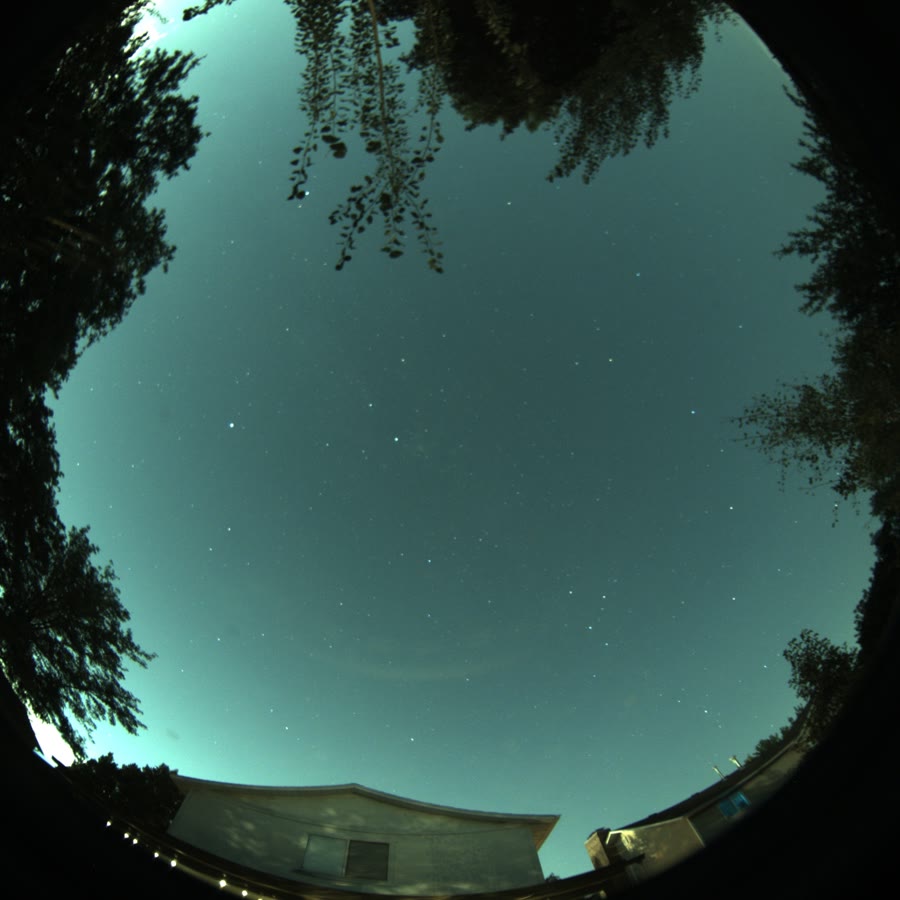 Clear02:11
 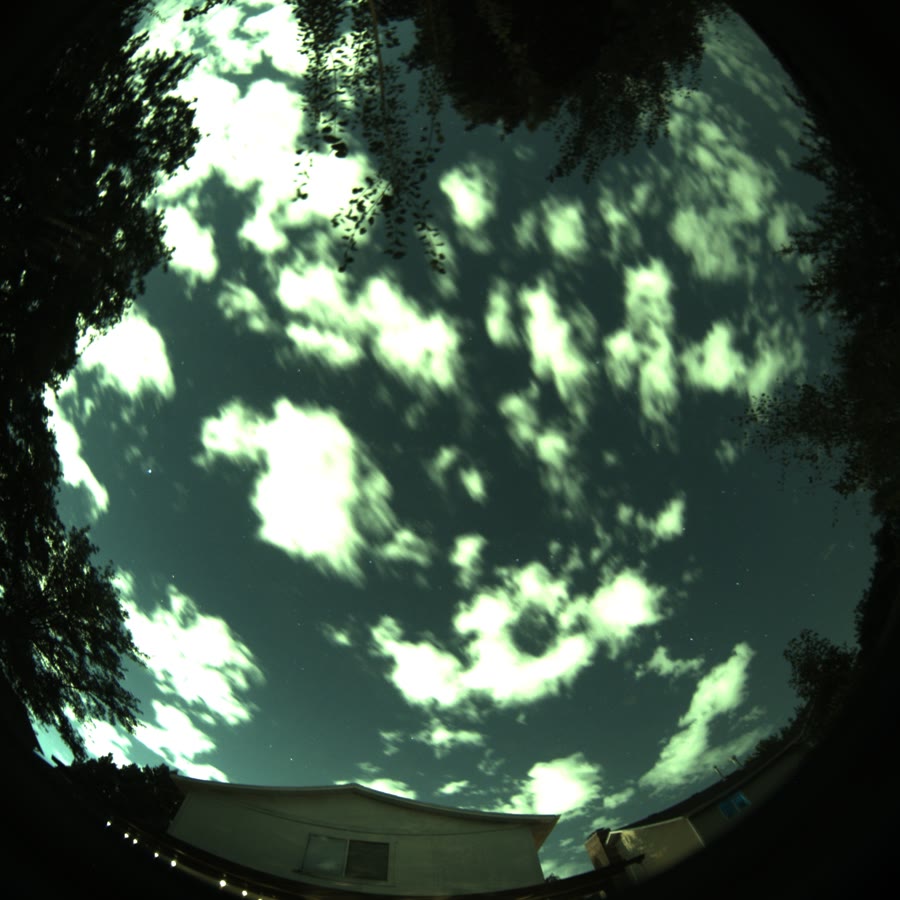 Clouds03:23
 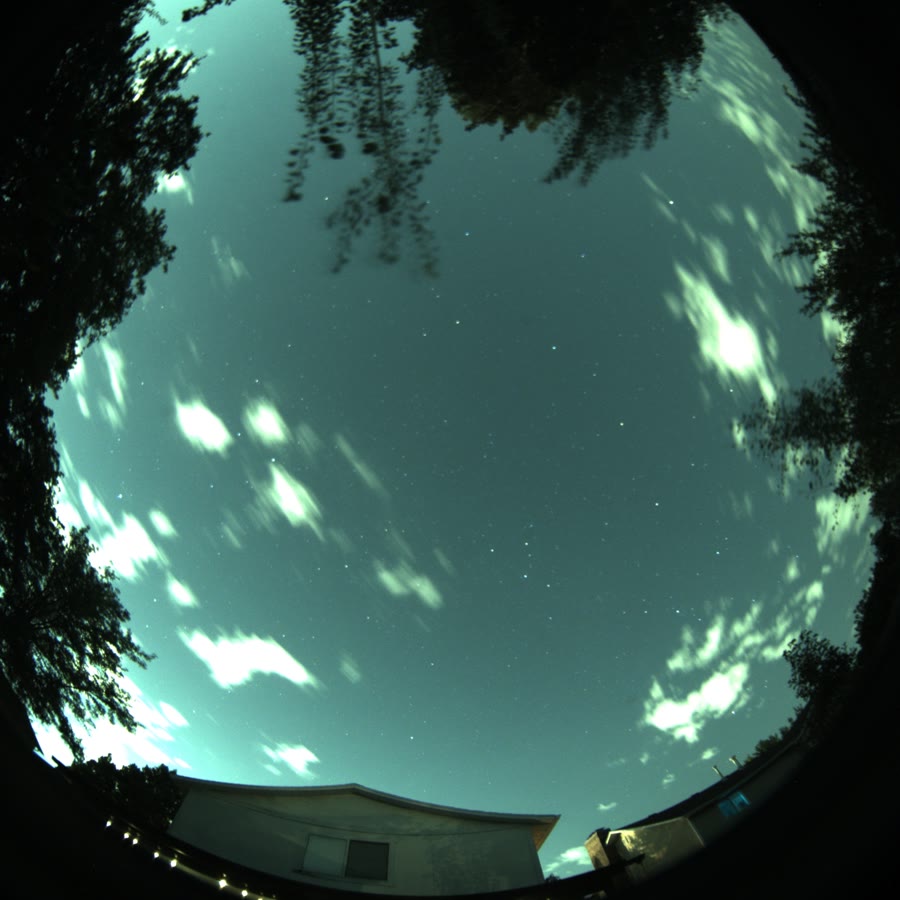 Clearing03:54
 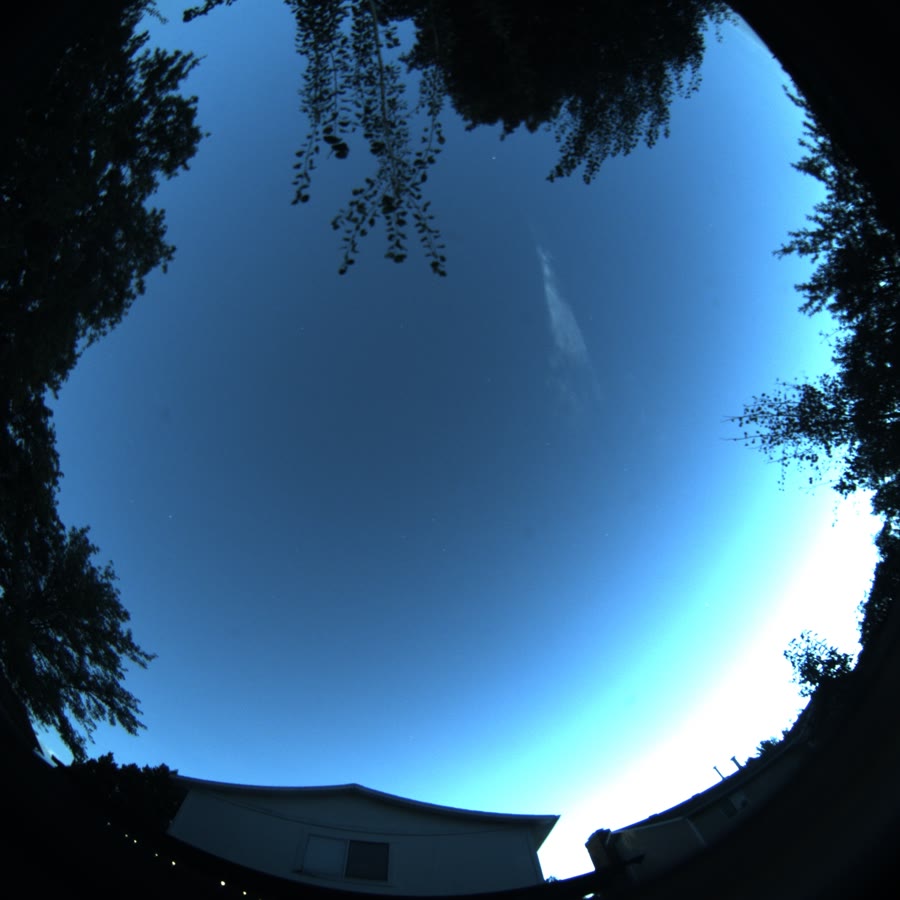 Dawn05:35
 Real sky — one night, July 25–26, from the rig’s own all-sky camera
SkyNode
Give your rig eyes.
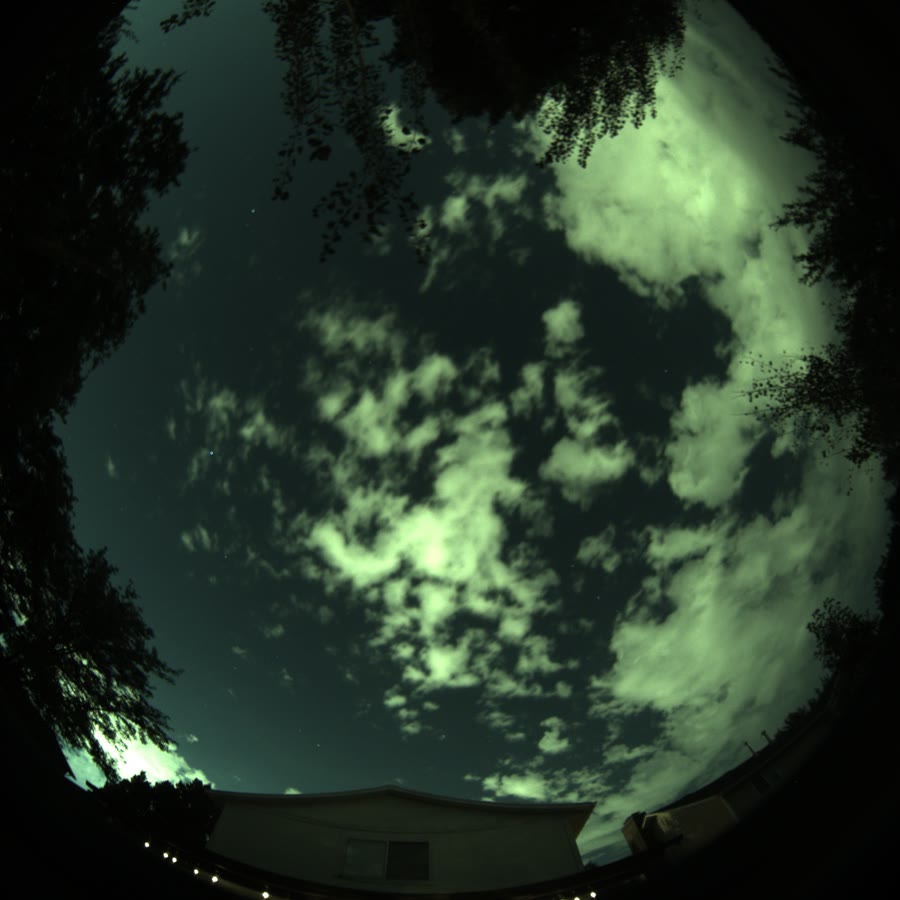
One fisheye camera turns the forecast into ground truth. ARIS reads the frames photometrically — live clouds on your planning chart, a measured clear-or-overcast verdict, real sky-quality numbers — and every smart feature gets sharper for it.
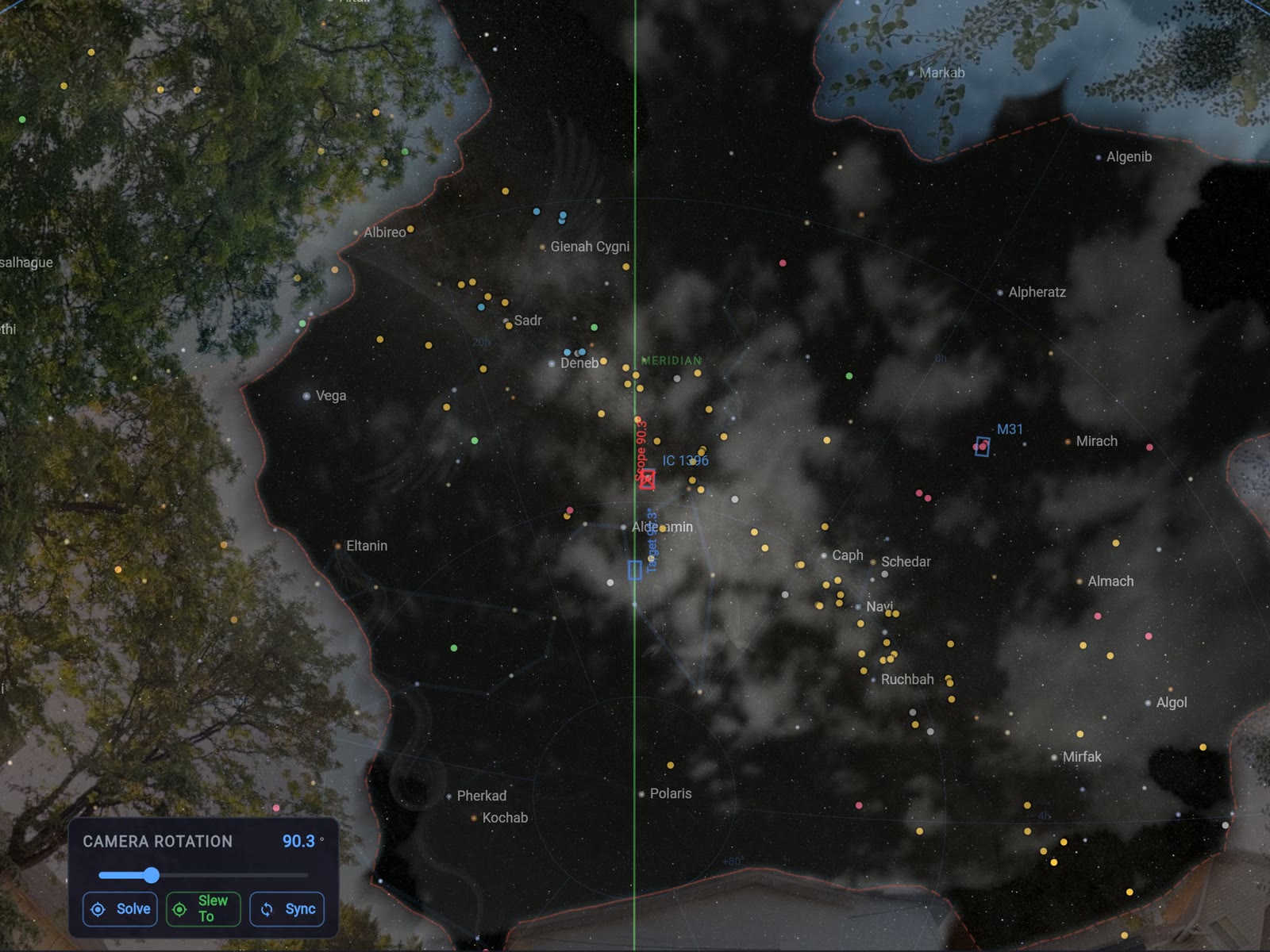
- A marker on the live fisheye shows exactly where your telescope is pointing — every rig in the array gets its own
- Live cloud map projected on the sky chart — watch what’s drifting toward your target
- Clear or overcast measured photometrically from frames, not forecasts
- Sky-quality (SQM) readings calibrated from your camera
- Calibrates itself against the stars — about a quarter-degree accuracy from a single night frame
- Smart masking learns your site — trees, buildings, the Moon, and passing aircraft don’t read as clouds
- Guardian corroborates with the camera before it acts; GUPPI answers “how’s the sky?” from the same eyes
- A focus screen for a SkyNode’s lens — a big sharpness number that holds its peak while you turn the barrel
Already run an all-sky rig? The ARIS companion plugs into your existing setup — available now.
Starting fresh? Plug a camera into your rig computer — direct camera support is rolling out.
Going wireless? A dedicated $25 SkyNode is available now: flash SkyNode OS onto a Raspberry Pi with Raspberry Pi Imager and add a Pi HQ or ZWO camera. It finds the camera on first boot, captures day and night by itself, and every rig on your network shows its live view.
Go Live
Broadcast the night itself.
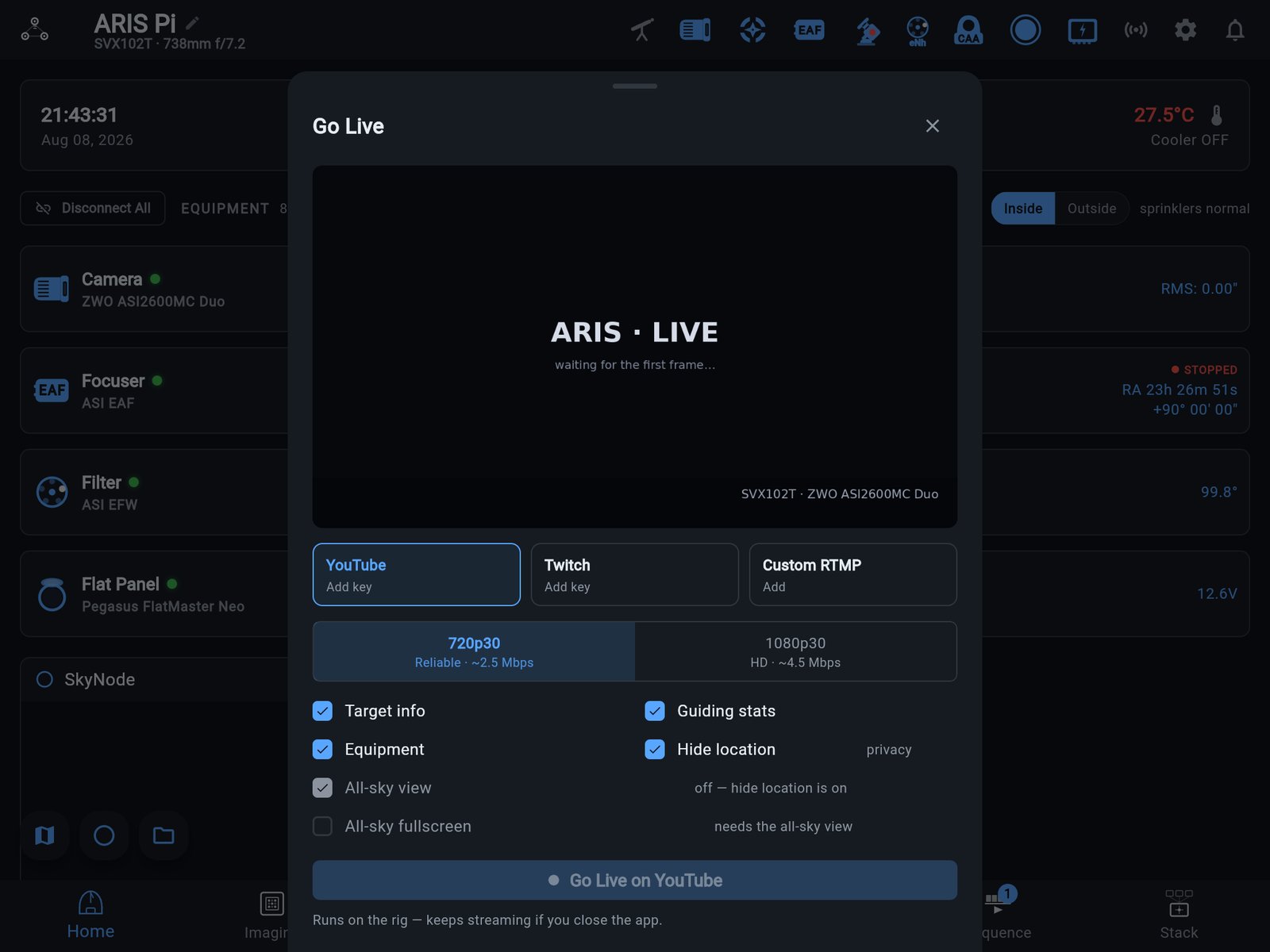
Pick a saved destination — YouTube, Twitch, or any RTMP server — and the rig puts the night on air: a real 720p30 broadcast of the live stack as it builds, with a lower third carrying target, sub count, integration, filter, and guiding RMS. The rig owns the stream — start it from the tablet, close the tab, and stop it from your phone hours later.
- The rig runs the broadcast — no computer stays up, no tab stays open, any device can stop it
- AllSky picture-in-picture with a marker on the sky where the telescope is pointing — one tap swaps it full-screen
- A LIVE pill on every ARIS screen while you’re on air
- Saved destinations for YouTube, Twitch, or any custom RTMP endpoint
- Streaming with OBS? Two chromeless pages paste straight into a Browser Source — a transparent telemetry overlay and a full-bleed live view. No install, no plugin, no account
- Your location stays hidden by default — and that switch wins over everything on the stream
Watch and TV apps
The whole night on your wrist.
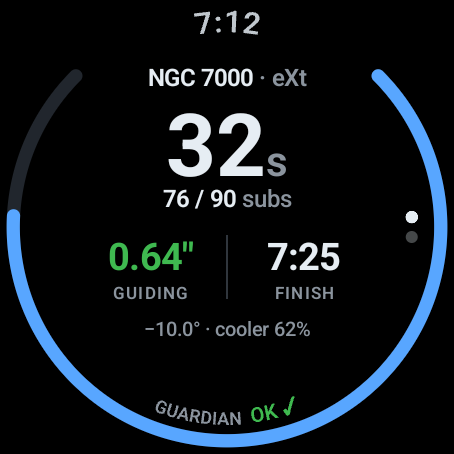
Raise your wrist and know. On Apple Watch and Galaxy Watch, every rig gets its own glance — sequence progress, the exposure, guiding, the sensor, the finish time and Guardian’s state — with pause and resume one tap away. The commands that end a night ask first.
- Apple Watch shows each rig as Mission Tiles; Galaxy Watch draws the night’s subs as a ring, with a Tile one swipe from the watch face
- Pause or resume with a tap; Stop and Stop & Home are confirm-gated
- Complications on the watch face: progress and guiding, and on Apple Watch the finish time
- Autofocus draws its V-curve live, point by point
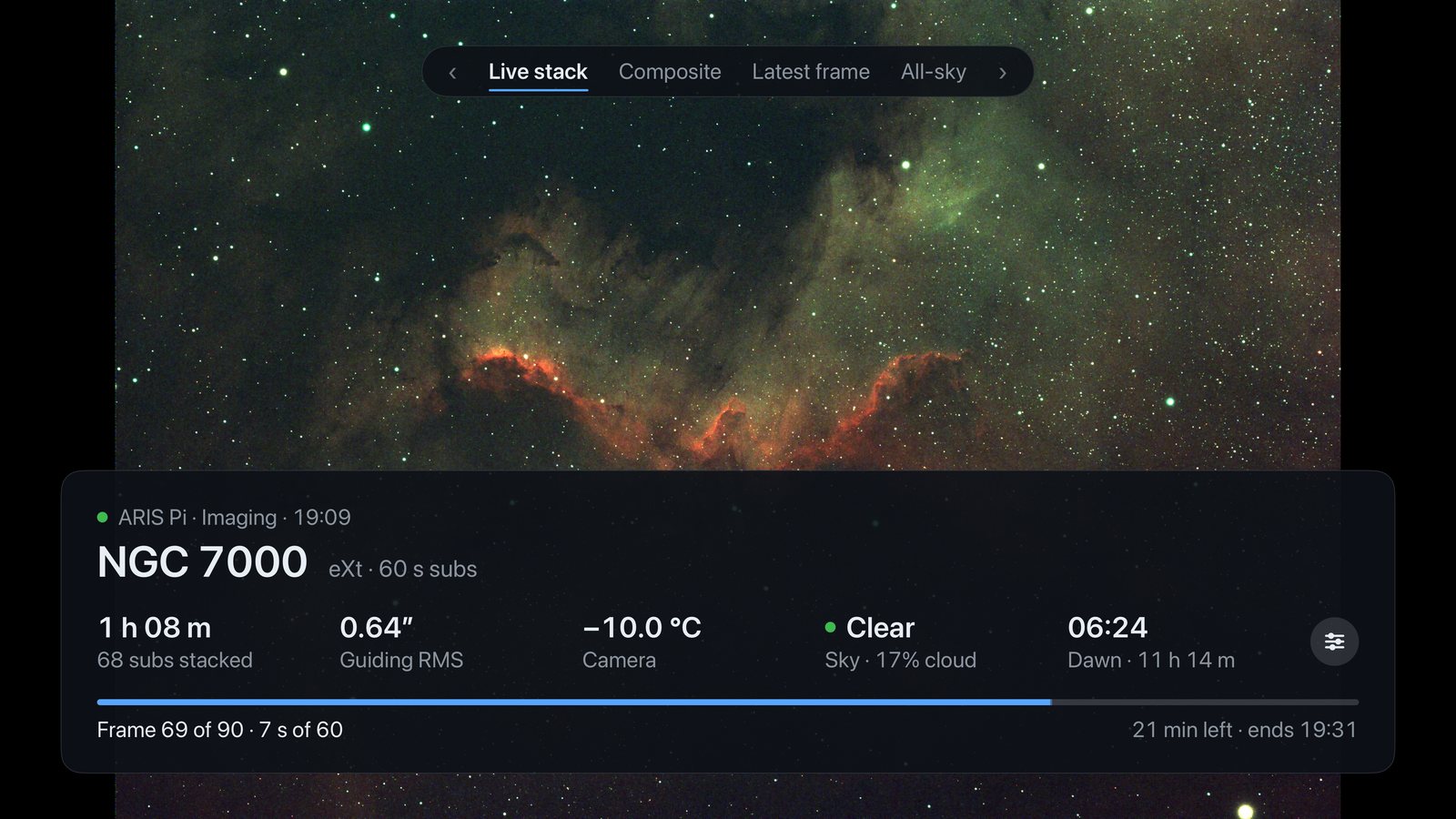
- The Imaging screen is the actual picture, full-bleed — live stack by default; turn the crown or bezel to zoom 1–4×
- Night Vision dims the picture until you tap to peek
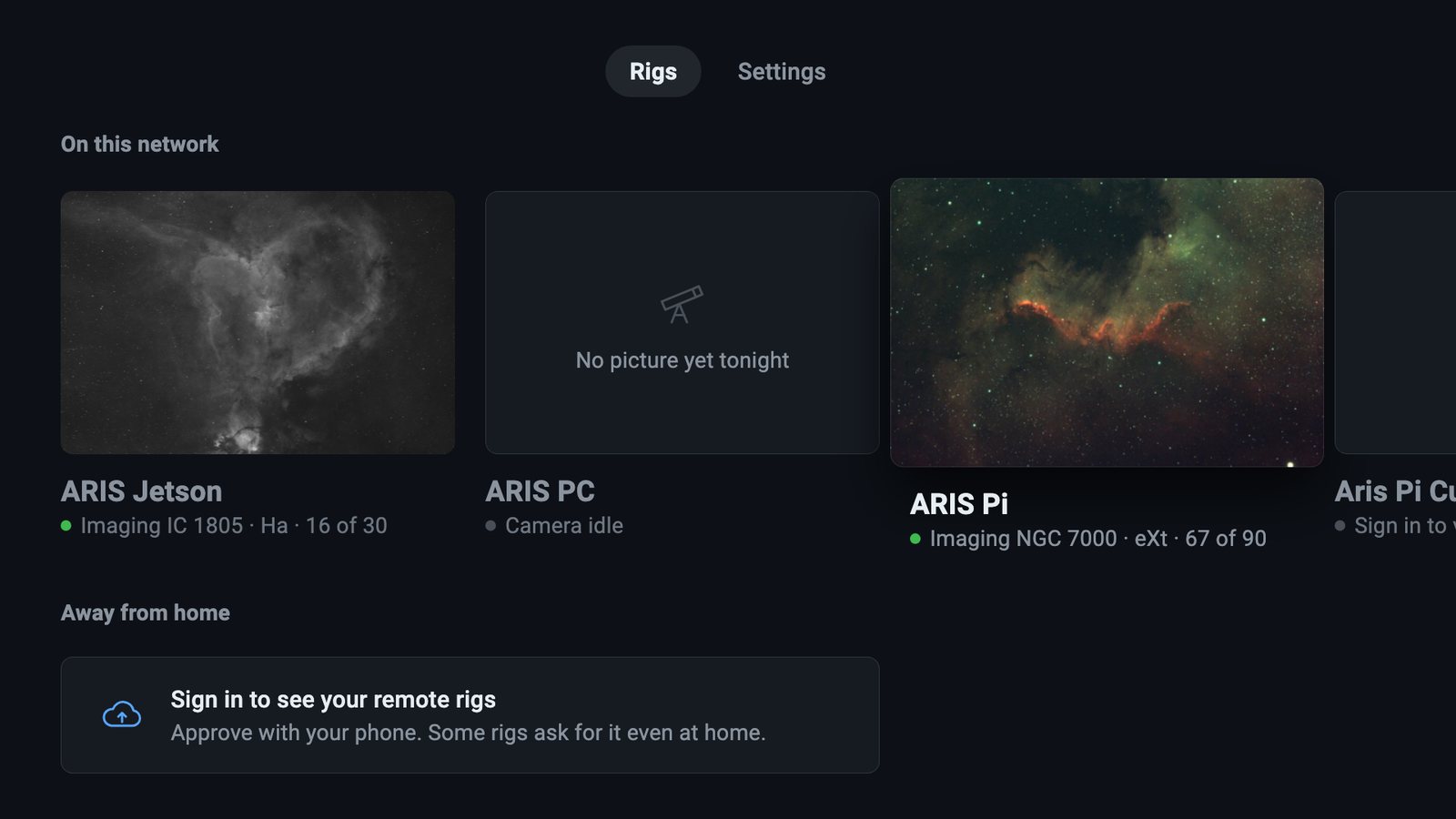
On your TV too. ARIS for Apple TV and Google TV puts the live stack on the big screen, with guiding, the sky and the night’s progress beside it.
Set up the Apple Watch app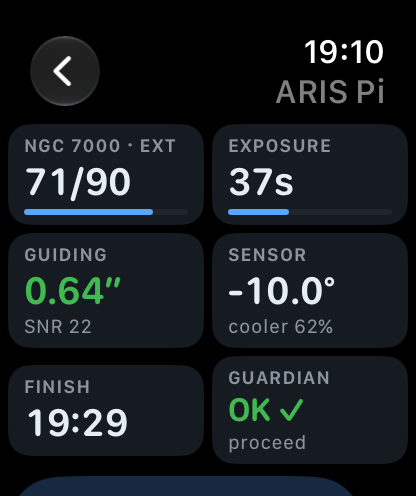
04
Ask your rig.
Plain questions, live answers — and when you’re ready, hand it the keys.
GUPPI
One interface between you and the night.
GUPPI is how you talk to your rig — and how your rig gets things done. It comes with a brain on board, and you choose what drives it: leave it as it comes, or plug in the AI you already pay for.
- Ask anything, answered from live telemetry — “How’s guiding?” “When does M31 transit?” “What happened last night?”
- Private by design — runs on your rig computer; questions and images never leave home; zero internet needed
- Morning postmortem from the night journal
- Plug in Claude, ChatGPT, or anything that speaks MCP — and GUPPI can run the night: sequences, autofocus, filter changes, your latest frame dropped into the chat, every action logged
One safety model, whatever the brain: the per-agent trust dial — watch-only → ask-before-motion → full autopilot. It ships in watch-only, and Guardian’s hard limits stay on no matter what.
Hardware, honestly: the full on-rig model wants GPU-class hardware — a Jetson, or a Pi with an AI HAT. A bare Pi answers the essentials instantly, no model needed. And your own agent brings full intelligence to any rig, no extra hardware at all.
Smooth night so far — everything’s on plan:
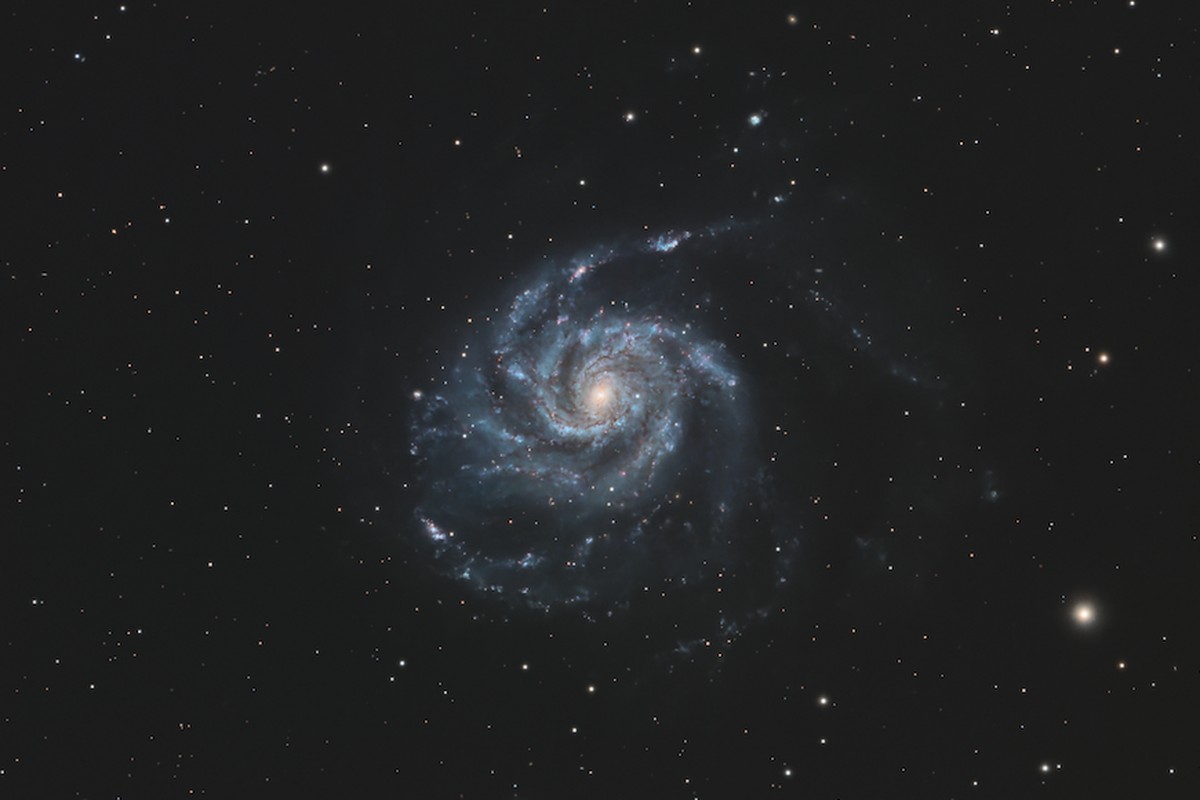
I’ll check back before the meridian flip at 03:26.
GUPPI — Ground Unit Primary Peripheral Interface. Hobbyist plan and up. Rolling out through early access.
Meet GUPPI05
Wake up to data.
The night ends with finished work — masters stacked on the rig, every frame sorted onto your desktop.
Live Stack + Deep Stack
Wake up to finished images.
Watch the target build sub by sub, stacked live on the rig while you shoot — in colour, as each filter’s stack joins an LRGB, SHO or HOO composite. When the sequence ends, the rig re-stacks the whole night into an archival master FITS + JPEG and pushes “deep stack ready” to your phone by morning.
- Live stacking on the rig — star-aligned, sigma-clipped, growing every sub
- Live colour composites per target — LRGB, RGB, SHO or HOO from the filters you’re shooting; Auto steps up to a fuller palette as channels join
- One-shot colour cameras too: a dual-band filter such as L-eXtreme makes HOO
- Not a separate capture mode — flip stacking on or off any time, even mid-target, and the overnight deep stack covers every sub of the night either way
- Per-frame quality gates — clouds and tracking blips get dropped, not stacked
- Automatic overnight re-stack: master FITS + stretched JPEG in your files at dawn
- Phone push when it’s ready
ARIS Shuttle
The night’s frames, on your desktop by morning.
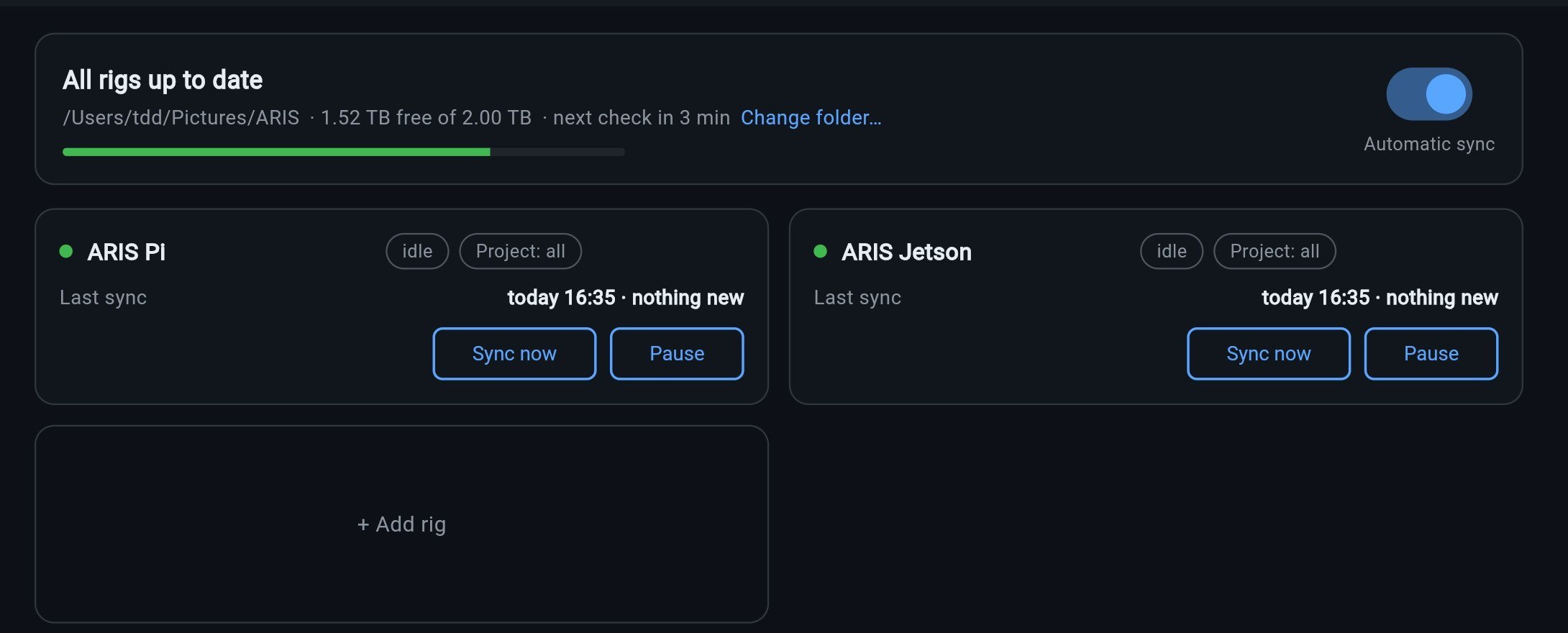
The ARIS Shuttle for macOS, Windows, and Linux quietly pulls every completed frame off your rigs into a clean target → night → lights / darks / flats / masters layout on the computer where you actually process. Each frame checked on arrival, resumable, and it never needs a hole in your firewall — the Shuttle pulls.
- Signed installers for macOS and Windows
- A folder layout Siril and PixInsight already understand
- Every computer keeps its own sync cursor — the observatory Mac and the office PC both stay current
- Remote pull of stacked masters over your rig’s secure tunnel (early access)
06
Every rig, every backyard.
The A is for arrays — every rig you run in one session, and missions that image across a hundred backyards.
Multi-rig arrays
One session. Every rig.
ARIS is built for arrays — it’s the A in the name. Connect a fleet: the backyard Pi, the club dome, the remote observatory. Orchestrate all of them from a single session, each rig with its own plan, status, and guide graph — and every rig’s field of view on one sky map.
- Every mount, camera, and guider at a glance
- Independent sequences per rig, one pane of glass
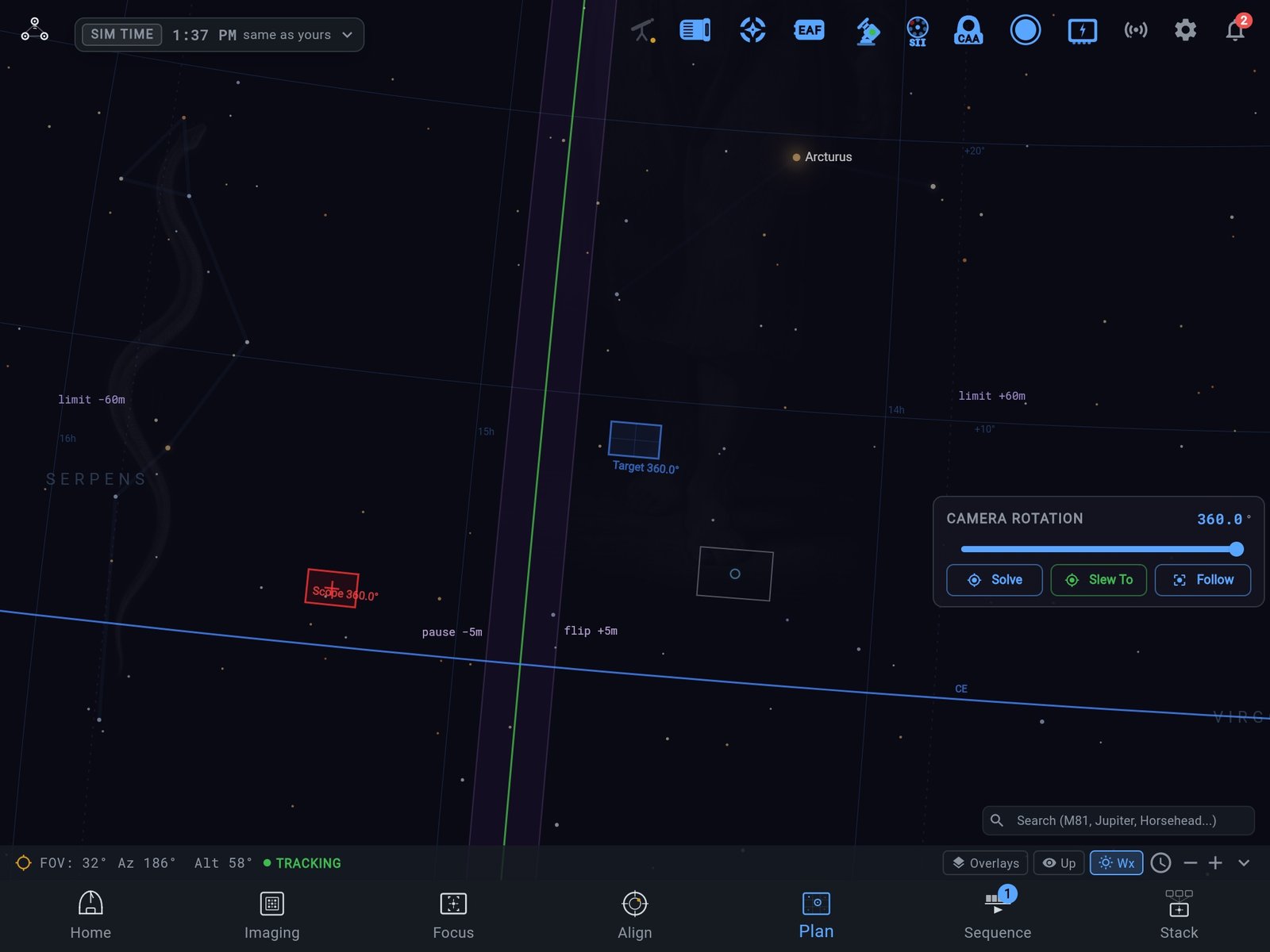
- Every rig’s frame on one sky map — drawn where each scope points, at its own size
- The meridian zone lights up as the view or a scope comes near it — your flip window and the mount’s own limit
- Check in from anywhere — secure per-rig access with zero port forwarding or router config (beta)
- Lock-screen alerts when the night finishes — or needs you
- Made for imaging clubs and remote observatories
- From a backyard pair to a facility pier row — per-rig isolation, one operations view
Running a hosting facility? Per-scope Enterprise plans
Community Missions
A hundred backyards. One deep image.
You’re not imaging alone anymore. A mission is a cohort of ARIS rigs on the same target in the same weeks — and it turns your scarcest resource into leverage: spare a single clear hour and it joins the cohort’s hundred; the master that comes back holds more integration than your backyard could gather in a season. Your rig does the work: after each night on the mission target it vets your subs and sends only the good ones, with every frame credited to you. And when the mission closes, the finished deep image comes back to everyone who fed it.
- Image with people — a shared target, a shared cohort, a shared first light
- Missions match your rig by pixel scale and framing — sharp setups feed detail, wide fields feed color and depth
- Your wish list lights up when a mission is running on a target you’ve been meaning to shoot — join with the hours you actually have
- Vetted subs upload automatically after each night — full or clouded-short, every accepted frame lands in the mission ledger under your name
- Personal metadata stripped before upload — your name, your site, your business
- Free to join, on any tier — first missions underway now (early access)
+
Also new.
Smaller things worth knowing — one line each.
- Past projects The Library lists every target your rigs have shot — hours per filter, nights, rigs, and where the files are now. Docs
- Cloud over your target Guardian names cloud over the target you’re shooting, and tells you when thin cloud dims the guide star. Docs
- Focuser backlash, measured The rig finds the slack in your focuser’s gears, and you apply it with a tap. Docs
- Autofocus learns its step One run works out the right step size for your focuser and telescope. Docs
- Set up devices ARIS identifies each USB device it finds, and offers to install a missing driver. Docs
- More mounts Alt-az and fork mounts, with no meridian flip to plan; OnStep; and Celestron hand-controller mounts. Docs
- Avalon UPAS Motorized polar alignment: ARIS can drive its motors to close the polar error for you.
- Resume after a restart A rig that restarts mid-run offers to pick the night up where it stopped, and rebuilds its live stacks from the subs on disk. Docs
- Saved framings and the framing lock Keep a target’s exact composition, and have the rig return to it on later nights. Docs
- Satellite streaks flagged The rig marks the subs a satellite or aircraft crossed.
- A forecast for anywhere, with rain Open-Meteo covers the whole world with no key, and Astrospheric’s seeing and transparency join in with your key. Docs
- Colourblind-friendly colours One switch swaps the greens that carry meaning for blues, in every theme. Docs
- Dew heaters The camera’s dew heater runs itself on a rig that can measure the air, and the SVBONY SV241 Pro power box is supported. Docs